New York City Vector Maps
New York City Adobe Illustrator Maps
Royalty-Free • High Detail EPS Vector Maps • Download 24/7
Download City Map Sample | View "How To..." Video | More New York Maps
-
New York City, NY Map - Manhattan - 65 square miles - with Local Roads
-
New York City, NY - Metro Area with All Local Streets
-
New York City, NY Map - Metro Area - with Land Area Features, and Major Roads
-
New York City, NY Map - Brooklyn - 144 square miles - with Local Roads
-
New York City, NY Map - Metro Area - with Major Roads
-
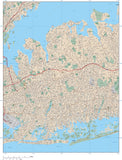
New York City, NY Map - Queens - 324 square miles - with Local Roads
-
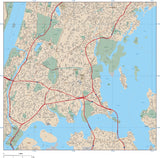
New York City, NY Map - Bronx - 81 square miles - with Local Roads
-
New York City, NY Map - Midtown Manhattan with All Local Roads
-
Long Island, NY Map with State Boundaries
-
New York City, NY Map - Manhattan - City Center - 9 square miles - withl Local Roads
-
New York City, NY Map - Manhattan - City Center with All Local Roads
-
Long Island, NY Map - 5000 square miles - with Major Roads
-
Poster Size High Detail New York Map with Counties, Cities, Highways, Railroads, Airports, National Parks, and more
-
New York City, NY Map - Manhattan - 65 square miles
-
New York City, NY Map - Staten Island - 144 square miles - with Local Roads
-
New York City, NY Map - Manhattan - Central Park - 6 square miles - with Local Roads
-
New York City, NY Map - Upper Manhattan with All Local Roads
-
New York City, NY Map - Upper Manhattan - 18 square miles - with Local Roads
About Adobe Illustrator Vector Format City Maps
All our AI (Adobe Illustrator Vector Format) maps are downloadable 24/7 as fully editable, layered Adobe Illustrator vector format files. Our maps are saved as Adobe Illustrator CS3 files & are compatible with versions CS3, CS4, CS5 & CS6 for either Macintosh or Windows. You must have Adobe Illustrator (CS3 or later) to open and edit these maps.
If you do not have Illustrator, you may still be able to use the maps with limited editability. See our information on using Illustrator maps in other design applications.
All features on our Illustrator vector city maps are fully editable:
• All Map Areas - such as land, parks, lakes, airports, etc are complete vector objects so you can add or change color fills
• All Lines - such as roads and highways, are fully editable
• All Text - such as road names, park names, etc are fully editable font text (not outlines) so you can change the size, color, style, etc.
• High-Res Maps - because our city maps are vector graphics, they can be scaled to any size and will print at high resolution
• Compatible - with a wide variety of Adobe products, including Photoshop, AfterEffects, InDesign, Flash, etc.
• Layered - All features are in layers: see the Feature/Layer list for each map
City Map are available in the following styles:
• "Downtown" City Maps - Our most detailed maps, they show every street, and where space allows every street name. Also included are landmarks such as parks, hospitals, shopping centers, etc and their names.
• "Metro Area" City Maps - Show a much larger area with less detail, they show highways and major streets, and where space allows major street names. Also included are larger landmarks such as parks, airports, shopping centers, etc and their names.
Download a Free Sample Map in Adobe Illustrator Vector Format:
You can download fully functional "City Map Demo" sample city map in Adobe Illustrator vector format.
View our Free Videos on Using Maps in Ai Format:
To see how our Adobe Illustrator vector city maps work, see the instructional videos on our Map Design Tips page.
You can use the tools in Illustrator to easily select and modify features on the map. For example, you could select an entire layer of area vector objects, line features, or text - and quickly change their color, line weight, or font.
Note on Adobe Reader and Acrobat:
These maps will not open with Adobe Reader, Adobe Acrobat or Adobe Acrobat Professional.
Call us at 800-334-4291 or email us with any questions.