|
|
| World Maps in Vector & Raster Formats |
|
Editable Adobe Illustrator • EPS Vector • PPT PowerPoint Slides • High Resolution JPEG Royalty Free Digital Vector Maps • Download 24/7 |
|
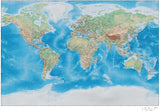
Land and Water Terrain Maps Dramatic physical appearance. Two sizes: 17 x 11 and 35 x 22 |
Big Poster Maps 35 x 22 size for large projects: Wall maps, tradeshow booths, and projects requiring intricate detail ... |
PowerPoint Maps World maps saved as PPT slides. Simple to colorize and add info. |
|
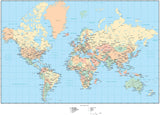
Political Maps Suitable for a wide range of projects: Ads, brochures, reports, packaging ... |
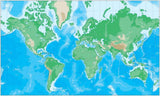
Topographic Maps Attractive contour background ideal for natural history projects, museums, zoos ... |
Black & White Maps Plain and simple. |
|
Basic Maps Quick and easy. |
Time Zone Maps Royalty Free resource for calendar and diary publishers. |
Outline Maps Green, black, blue, etc. |
| Need a Different World Map Style or Projection? |
| Browse our Entire Collection of Over 180 Digital World Maps: |
| Need 3 or more maps? Check out our CD Collections | |
| (You can still begin downloading maps right after your purchase.) |
|
|
|
|
|
Map Resources vector world maps are all layered, fully editable, EPS vector format. You can use Adobe Illustrator to modify any feature on the map, including text, lines, and color fills. To see how our digital world maps work, we encourage you to download a sample map and test it out on your own system. Why use Map Resources for your world maps?With Map Resources' vector world maps, you are using high resolution, accurate, and up-to-date using editable, digital images from all parts of the world. You'll find Illustrator world maps that include rectangular shaped, oval shaped, barrel shaped, interrupted, time zone, upside-down, world in a circle, or globes. You'll also find world map clipart of North America, including Canada and the United States, as well as South America, Africa, and Asia. Map Resources gives you the best of all worlds when shopping for digital EPS vector format maps. You'll find high resolution editable, stock images from all parts of the world. The right stock map from Map Resources can give a professional edge to your brochures, publications, and other graphic design projects. You can also choose from styles of world map clipart or fully editable stock maps. World map clip art for professional designersYou probably know how frustrating it is to try to find high resolution digital maps. Map Resources has created a collection of world map clip art with the quality and ease-of-use of professional designers in mind. Each stock map can be easily viewed and printed in Adobe Acrobat PDF format. Most importantly for designers, they are also fully editable, multi-layered vector maps in Adobe Illustrator format. You can open and edit them easily with any version of Adobe Illustrator, or any program that can import Adobe Illustrator files. Adobe Illustrator format maps can be saved as EPS maps. We have hundreds of world and country maps to choose from in various artistic and conceptual styles. Whatever style of map you are looking for and whatever content you want your map to contain, you are most likely to find it quickly and easily at Map Resources. Fully editable map clipartEach Illustrator map features geographic areas as separate objects you can select and edit to highlight specific geographic regions or cities. Changing the font style and size of the text on our map clip art is just as easy since all text is fully editable. That means you can edit the layers of your stock map to emphasize exactly the features you need. Emphasize political features such as cities and borders. Do you need to show landscape features and terrain? Map Resources has a wide variety of vector world map choices with fine details. And, because you can use Adobe Illustrator to sample and edit the images within your Illustrator map, you can save time by creating backgrounds, high-impact graphics, and clip art that you can use over and over again. Benefits of editable stock mapsOur clipart is a fully editable, layered Adobe Illustrator digital vector format file. You can save the output as EPS maps. That means that users of Adobe Illustrator, or similar applications, can easily edit the layers of the stock maps to customize the geographical images on the globe. Simply use the layers feature to modify the continental land mass as a single object, or the features in separate layers. Turn feature layers of our vector maps on or off with a click of the mouse for quick editing. Each Illustrator map lets you customize color fills, text style, and line work. You can even add your own information and artwork, and rescale our quality maps without losing image quality. |